
Clash.gg KYC: how to verify your identity, step by step (2026)

By The Gambling Bandits
Live on Kick, running the code BANDITS leaderboards · How we test
Clash.gg KYC is a one-time identity check that Clash.gg runs through Sumsub, a specialist verification company. You start it on the Free Play page (clash.gg/kyc) with Verify my identity. Then you upload an identity document, take a selfie, and confirm your phone number and email. Once you're verified, Clash.gg's rain, promo codes and funded battles open up, and so do crypto cash-outs after a card or cash deposit.
This guide covers:
- what Clash.gg KYC gets you
- what to have ready
- every step, with our own screenshots
- tips for quick approval, and how KYC fits with withdrawals
What Clash.gg KYC gets you
You can sign up, deposit and play on Clash.gg without KYC. The identity check is what opens the extras. Clash.gg's help centre says completing KYC gives you "free entry to Rain, access to promo codes, participation in funded battles, and crypto withdrawals from fiat-based deposits".
| Feature | KYC needed? | Source |
|---|---|---|
| Rain (free gems in chat every 30 minutes) | KYC, or level 10 plus 50 gems deposited in the last week | Help centre, "How do I join the rain?" |
| Promo codes from Clash.gg's Discord and X | Yes | Help centre, "What is KYC?" |
| Funded battles | Yes | Help centre, "What is KYC?" |
| Crypto withdrawal after a card or cash deposit | Yes | Help centre, "How do I withdraw?" |
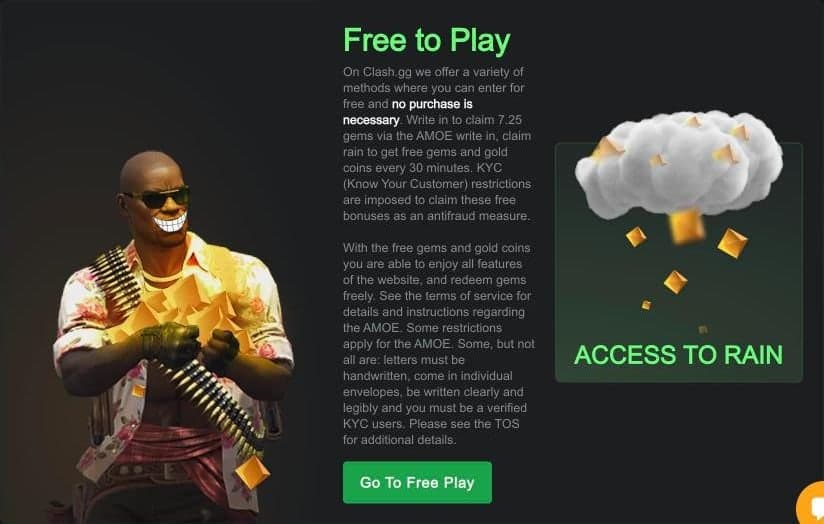
| 7.25 free gems by mail (US write-in) | Yes | clash.gg/kyc |
| Prizes valued at 10,000 or more | ID and proof of address can be asked | Official Sweeps Rules 9.5 |
| Signing up, depositing, playing | Not on the list | Help centre |
What to have ready
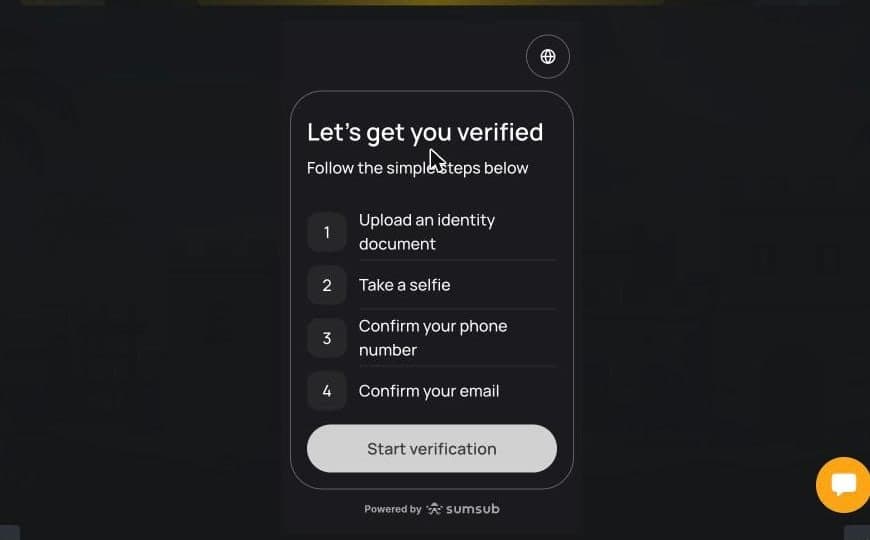
Sumsub shows the four steps before you start, so you know exactly what's coming:
- An identity document. A valid photo ID. Sumsub shows which documents it accepts for your country.
- Your face for a selfie. A phone or laptop camera works.
- A phone number you can confirm.
- Your email address you can confirm.
Use your own details. Clash.gg's terms say you must own the payment method you deposit with, and the details on a redemption must match your account. Verify in the name you play and pay in.
How to do Clash.gg KYC, step by step
We went through these steps on our own Clash.gg account on 15 November 2026. The screenshots stop at the consent screen, because the steps after it use your personal documents. Steps 6 to 9 follow the list Sumsub shows in step 4.
Step 1: Open Free Play. Sign in, open Rewards and scroll to the Free to Play box, then press Go To Free Play. You can also type clash.gg/kyc straight into your browser.
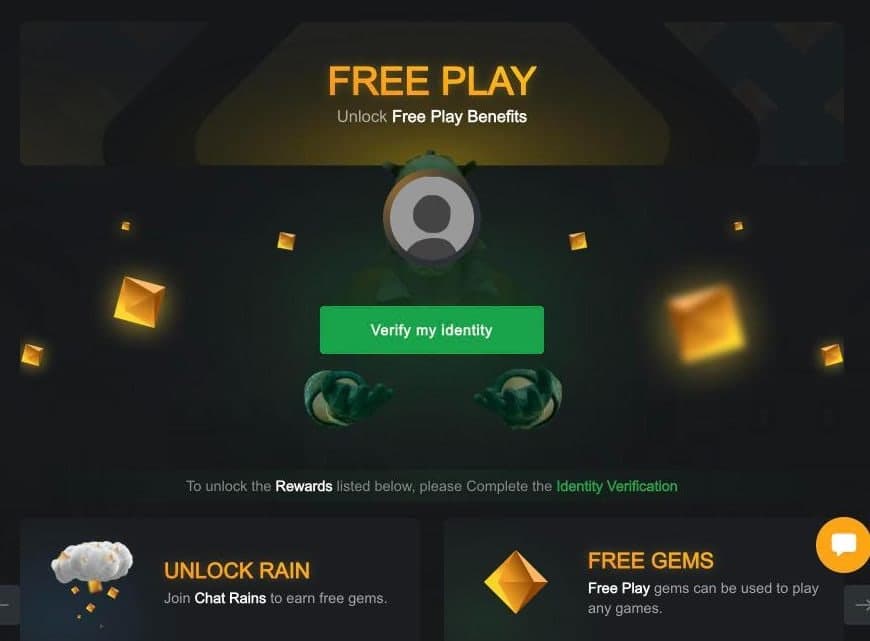
Step 2: Press "Verify my identity". The Free Play page shows what verification gives you: chat rain and Free Play gems.
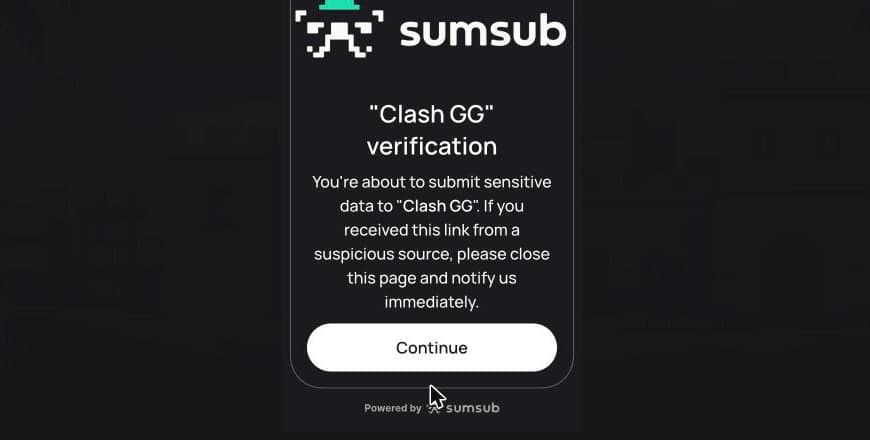
Step 3: Check it says "Clash GG" and press Continue. Sumsub opens inside the Clash.gg page. Its first screen names the company you're verifying for, "Clash GG", and reminds you to only go ahead if you started from Clash.gg itself.
Step 4: Read the four steps and press Start verification. Sumsub lists them: upload an identity document, take a selfie, confirm your phone number, confirm your email.
Step 5: Choose your country of residence and press Agree and continue. This also confirms you've read Sumsub's notice on how it processes your personal data. Use the country you actually live in.
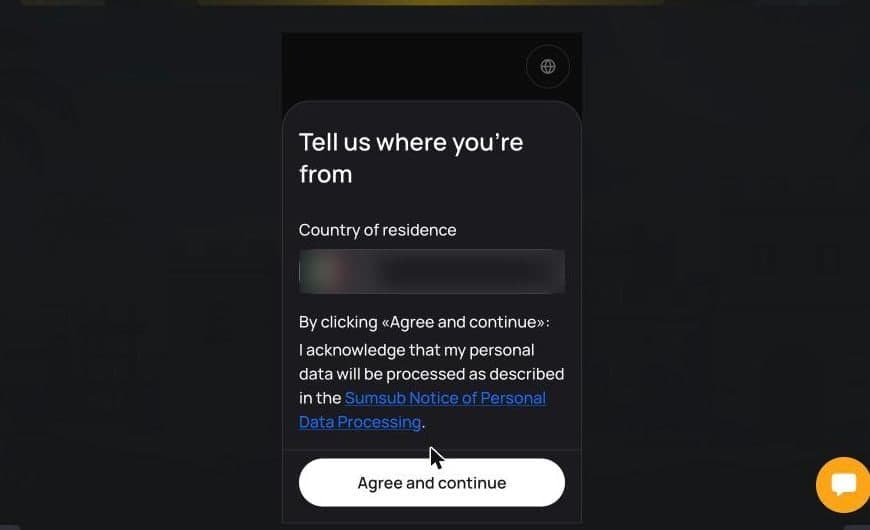
Step 6: Upload your identity document. Follow Sumsub's prompts to take or upload clear photos of your document, both sides if it has two.
Step 7: Take a selfie. Sumsub compares your face with the photo on your document. Face the camera in good light, with nothing covering your face.
Step 8: Confirm your phone number and email. Enter each one and confirm it when Sumsub asks.
Step 9: Wait for the result. Once you're approved, rain, promo codes and the other features in the table above work on your account.
Tips for a quick approval
- Good light, no glare. Lay the document flat with all four corners in view, and don't edit or filter the photo.
- One sitting. Have your ID, phone and email to hand before you press Start verification.
- Same name everywhere. Your ID, your Clash.gg account and your payment method should all match.
- Do it early. Verify on day one, before you want to join a rain or cash out, so nothing waits on it later.
Clash.gg KYC and withdrawals
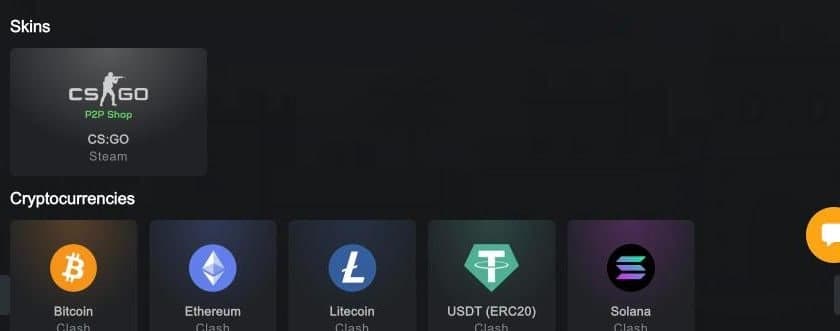
Clash.gg pays out in skins from its P2P shop, or in crypto: Bitcoin, Ethereum, Litecoin, USDT (ERC20) and Solana. Clash.gg's help centre is clear about crypto: every cash deposit needs verification before you can withdraw crypto, to meet anti-money-laundering rules. If you top up by card, finishing KYC first means your first crypto cash-out goes straight through.
Two more rules from Clash.gg's Official Sweeps Rules:
- Big prizes: prizes valued at 10,000 or more can need a copy of your ID and proof of address (rule 9.5).
- 90 days: if Clash.gg asks for documents, send them within 90 days, or the request lapses (rule 9.6).
For the full cash-out walkthrough, see our Clash.gg withdrawal guide.
Who sees your documents?
Clash.gg's help centre says: "We don't have access to your information, as we use a trusted third-party provider." That provider is Sumsub, whose name and logo are on every screen of the check. Its first screen tells you to close the page if you got the link from somewhere suspicious, so always start KYC from clash.gg/kyc itself, never from a link someone sends you.
Play Clash.gg with code BANDITS
Sign up through clash.gg/r/BANDITS for +5% on your next deposit, a place on our 300 gem leaderboard and 0.5% rakeback. Details: Clash.gg promo code. More on the site: Clash.gg guide, Is Clash.gg legit? and Is Clash.gg provably fair?.
Frequently asked questions
- Does Clash.gg require KYC?
- Not to sign up, deposit or play. You need it for free rain entry (or level 10 plus 50 gems deposited in the last week), promo codes, funded battles, and crypto withdrawals after a card or cash deposit. Big prizes can also need ID.
- How do I verify my identity on Clash.gg?
- Go to clash.gg/kyc (Rewards › Free to Play › Go To Free Play) and press Verify my identity. Sumsub opens: choose your country, upload an identity document, take a selfie, and confirm your phone number and email.
- What does Clash.gg KYC ask for?
- Four things: an identity document, a selfie, your phone number and your email. Big prizes valued at 10,000 or more can also need proof of address.
- Who runs Clash.gg's KYC?
- Sumsub, a third-party identity verification company. Clash.gg says it doesn't have access to the information you send.
- Do I need KYC to withdraw from Clash.gg?
- For crypto withdrawals after a card or cash deposit, yes: Clash.gg's help centre says every cash deposit needs verification before a crypto withdrawal. Clash.gg can also verify any prize winner.
- Do I need KYC to join rain on Clash.gg?
- KYC is the simplest route. The other route is level 10 plus 50 gems deposited in the last week. Either way, you also solve a captcha to join.
- Clash.gg says KYC is required. What should I do?
- Open clash.gg/kyc, press Verify my identity and finish the four Sumsub steps. Then try again.
- How long does Clash.gg KYC take?
- Clash.gg doesn't publish an approval time. Doing all four steps in one sitting, with clear photos, gives you the best chance of a quick result.
18+ only. Gambling can be addictive, play responsibly. Help and advice: BeGambleAware.org. The Gambling Bandits earns a referral commission from Clash.gg. Steps and screenshots checked on Clash.gg on 15 November 2026; Clash.gg's own help centre and terms are the final word on its rules.